
Integrations
Google Drive Integration
Connect Commit with your Google Drive documents
Get Your Service Account Email
- Request your service account email from your sales rep
Add Permissions
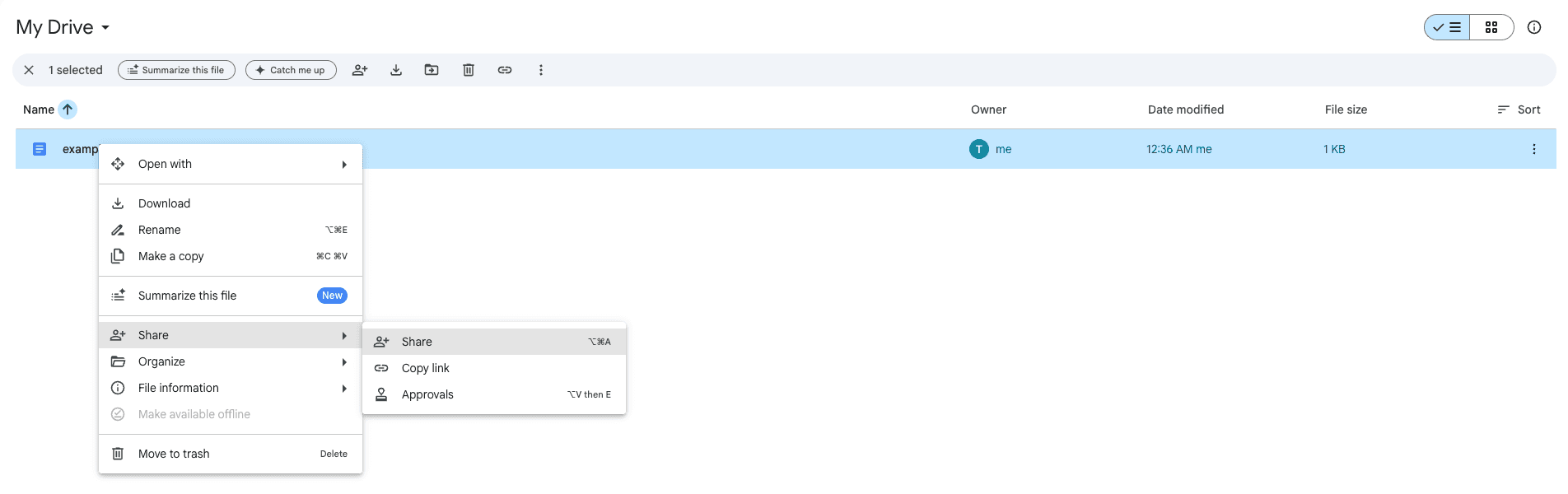
- Right-click on the folder/file you want to share, then press "Share"
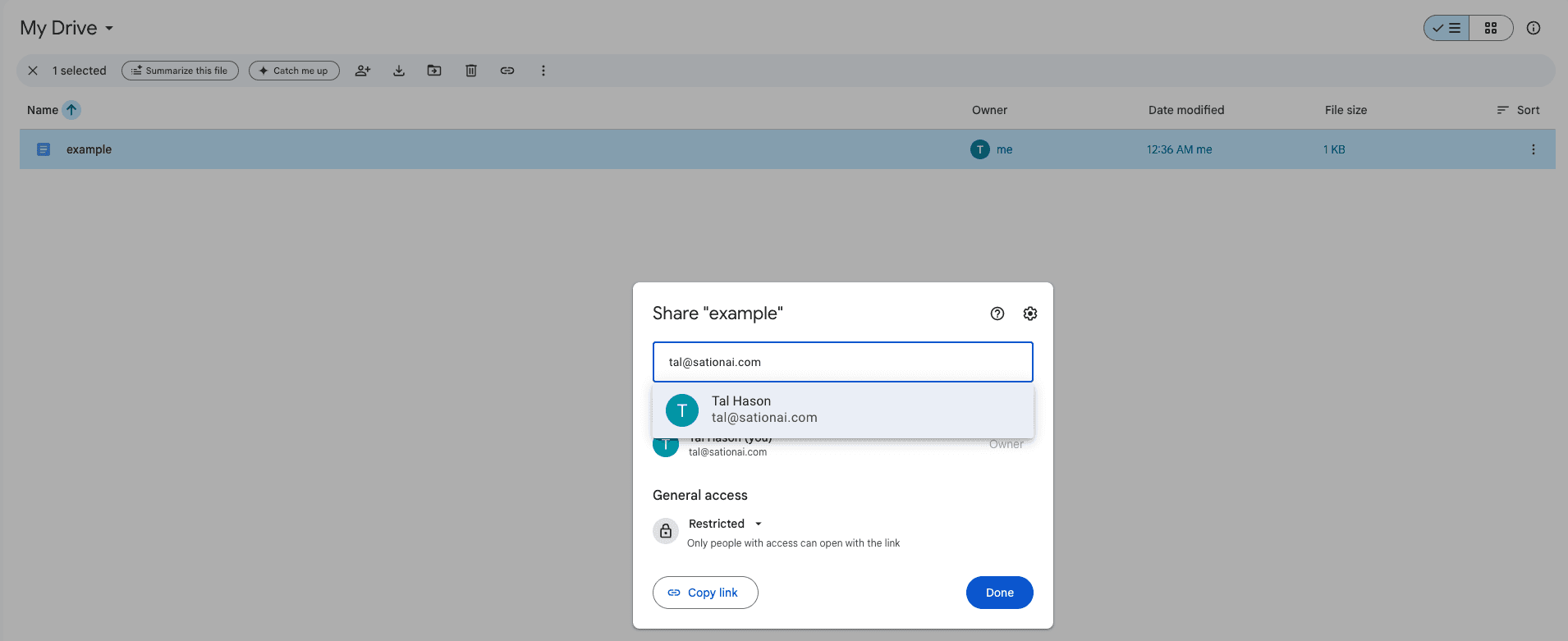
- Enter the Service Account email from step 1
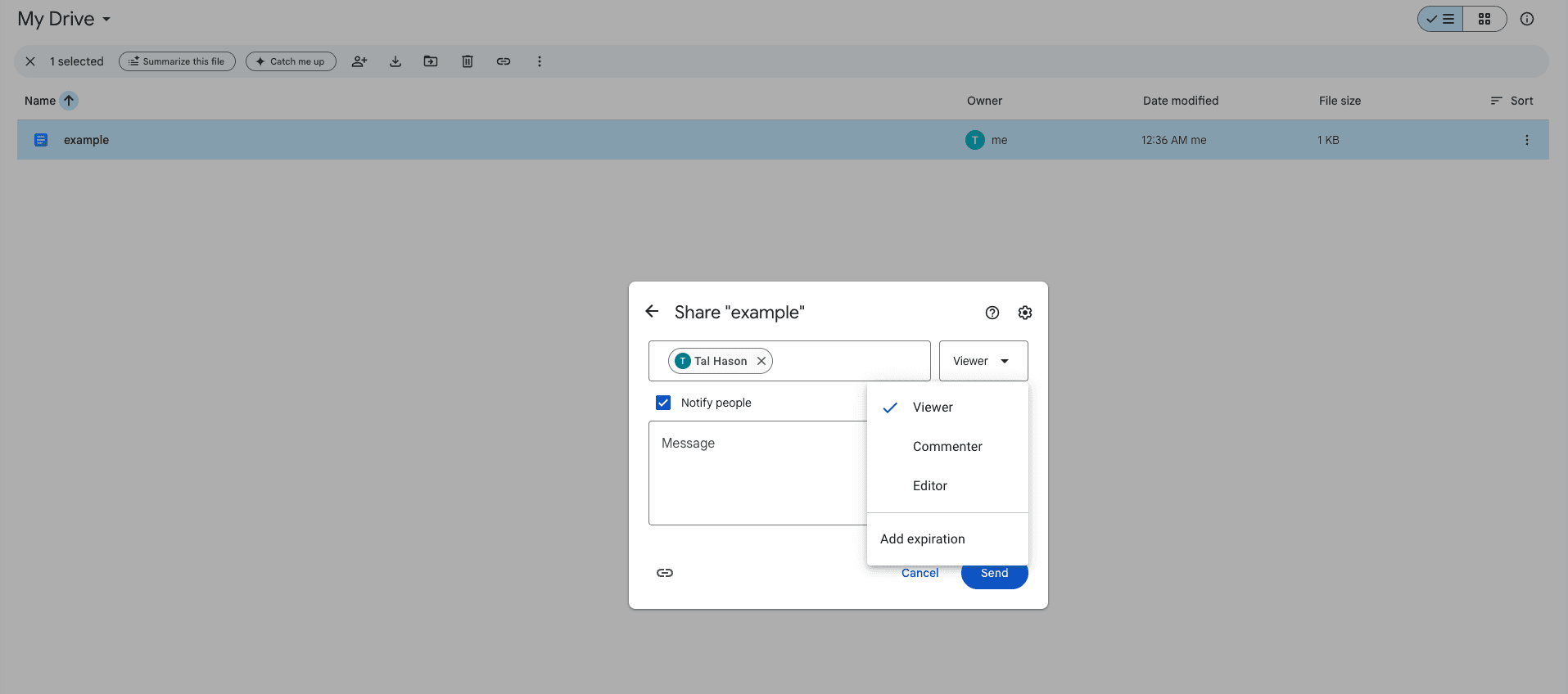
- From the dropdown, select "Viewer" and press "Send"
Finish Commit Configuration
Notify your sales rep that you have finished adding files/folders.
Need help? Contact us at support@askcommit.com.