Integrations
Gong Integration
Connect Commit with your Gong call recordings and insights
Find base URL
- Log in to your Gong account.
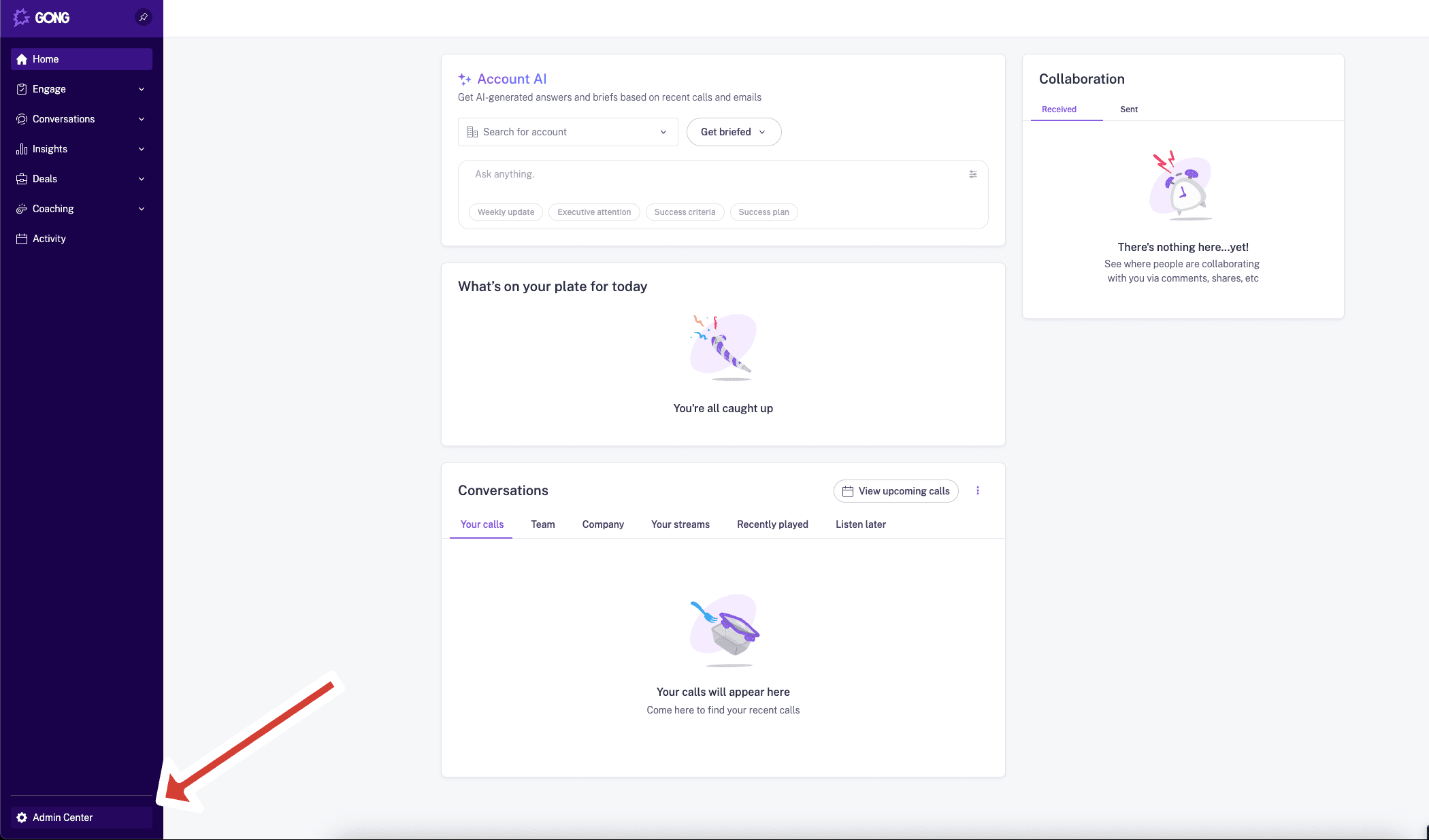
- In the bottom Left corner of the page, click on Admin Center
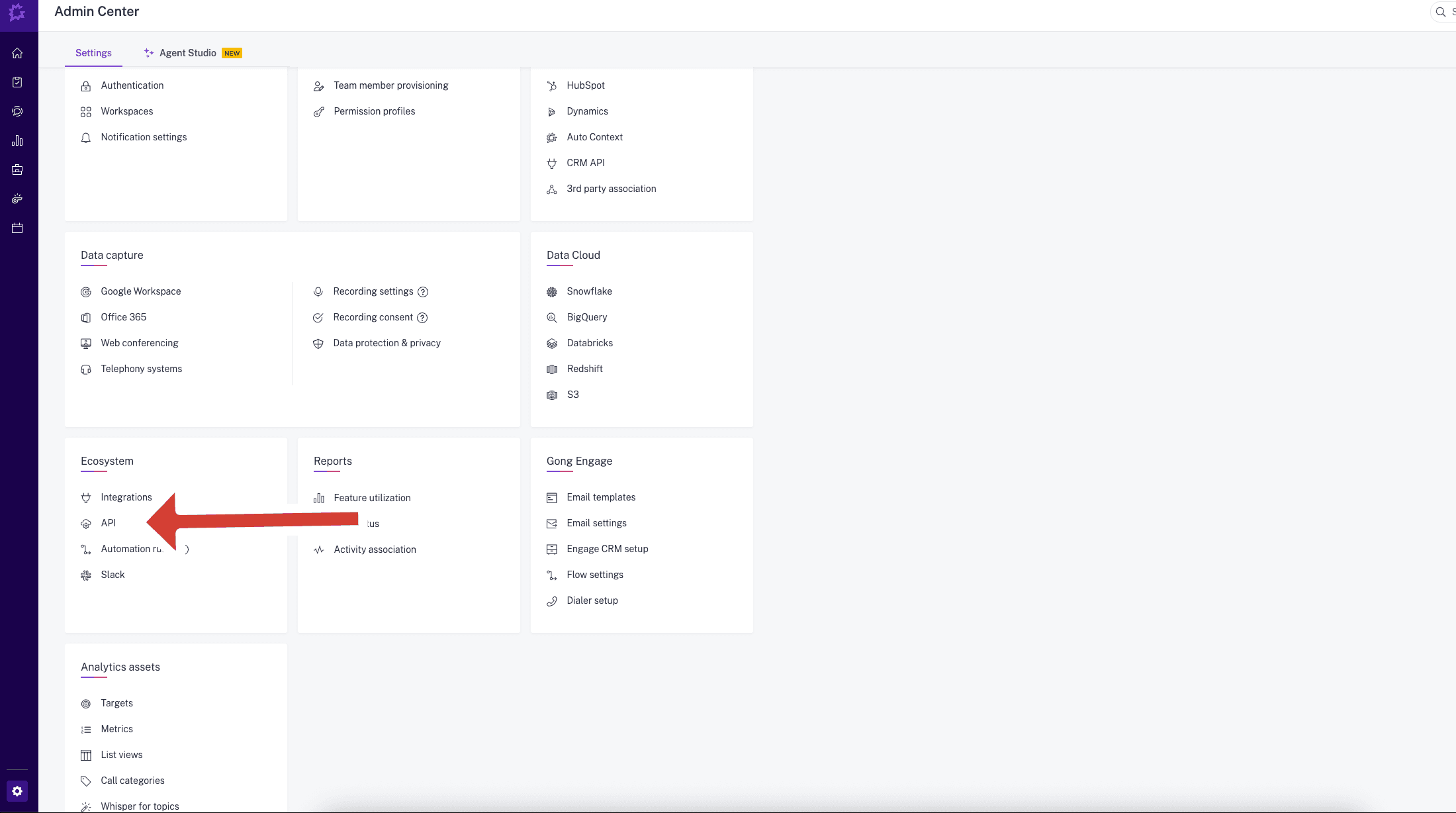
- In the Ecosystem section, click API.
- Go to the API KEYS tab and click on Get API Key.
Save the API Key and API Secret as you will need them to configure Commit
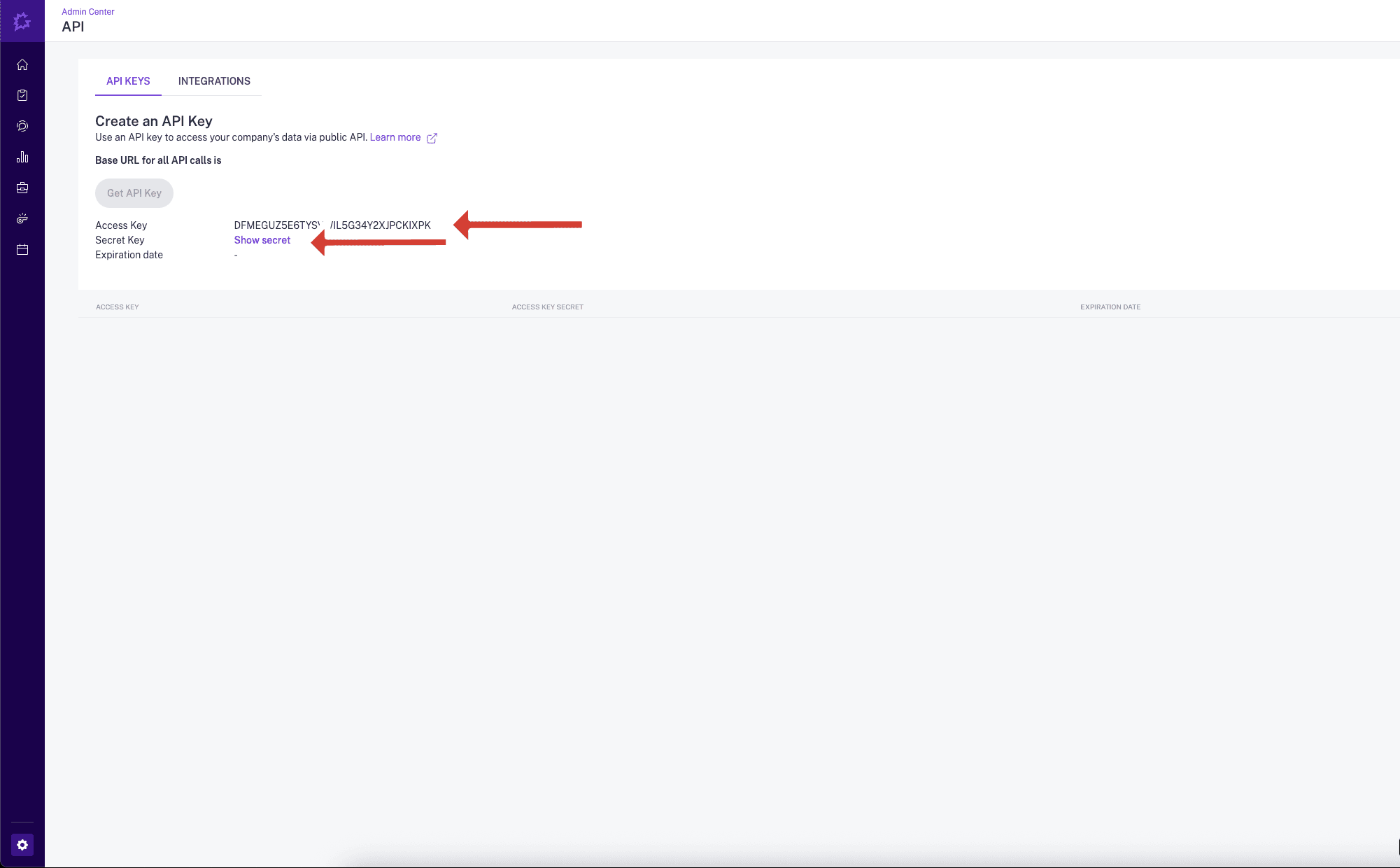
- Refresh the page and go back to the API KEYS tab
- Find you Base URL, Take a Note it as you will need it to configure Commit

Finish Sation configuration
Send the Access Key, Access Key Secret, and Base URL securely over to Sation.
Need help? Contact us at support@askcommit.com.